
Apps & your AI team
Every business gets a website — and a team.
Beyond the site, each of your clients gets a portal: the everyday tools a small business runs on, apps built for its trade, and an AI team that does the groundwork and waits for their OK.
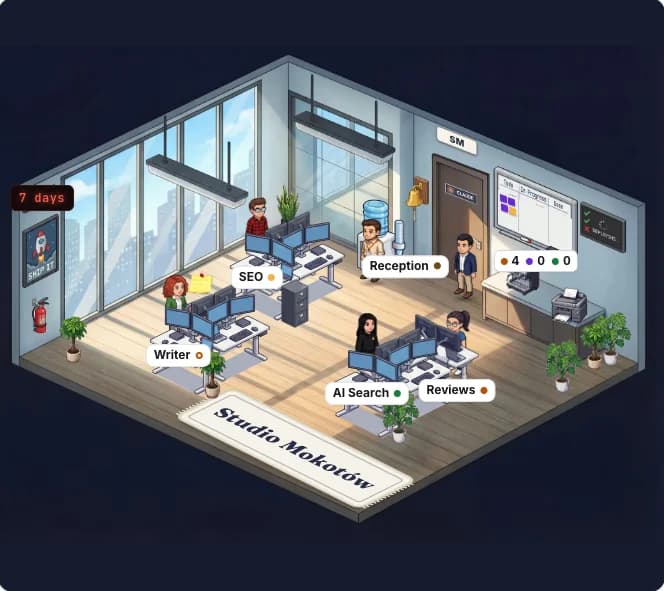
Nothing goes out without your OK
Included in Growth
- 18AI agents, in six departments
- 5agents every business starts with
- 14apps built for particular trades
- 1portal for all of it, under your brand
Your AI team· Part 1 of 5
Seventeen specialists. One team lead.
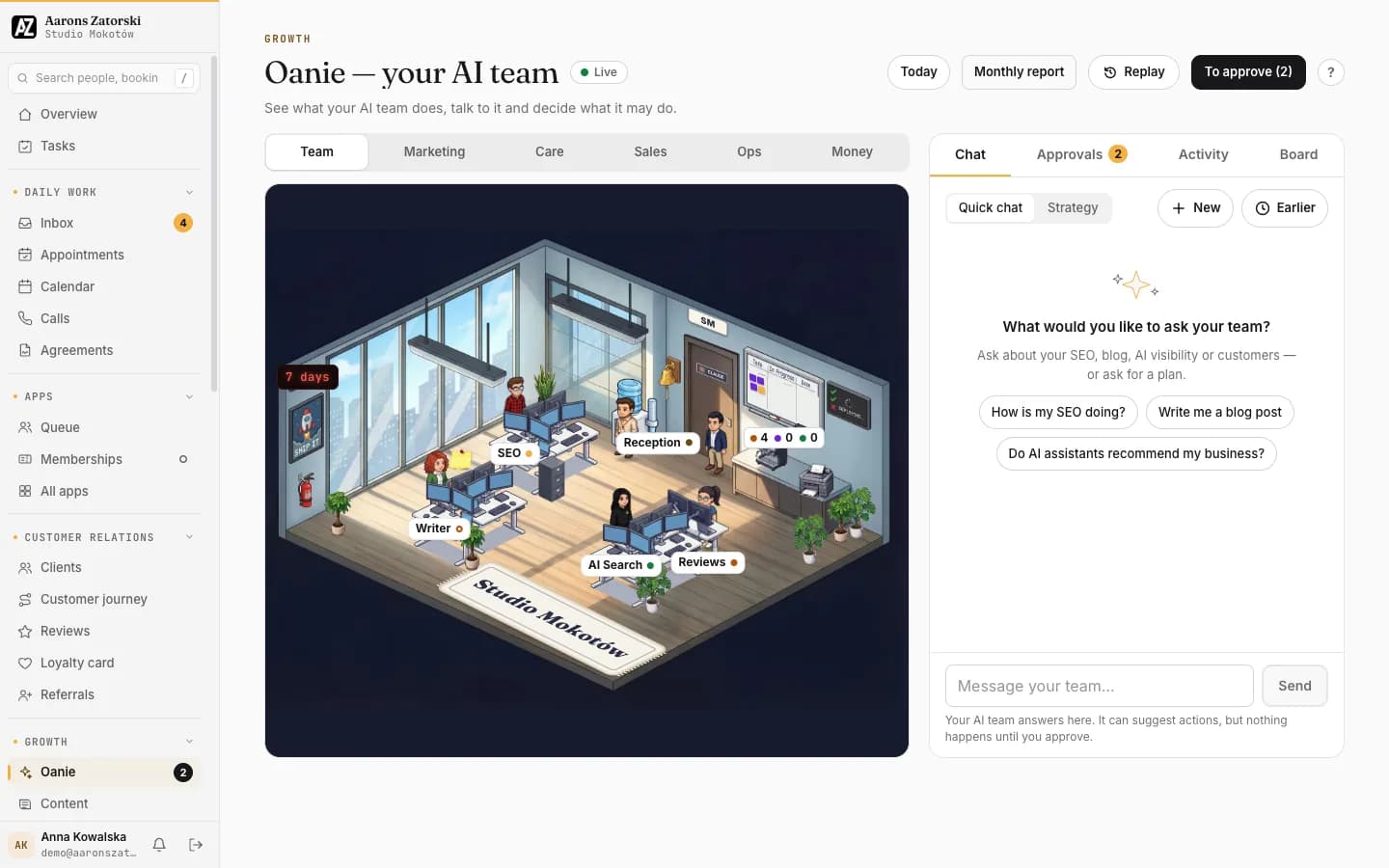
Each business gets an office of AI agents, grouped into departments like a real company. Five are there from day one; the others join when the business starts using the feature they look after.
- 4 agents
Marketing
SEO (Always there)
Drafts better Google titles for your pages and tracks your ranking.
Writer (Always there)
Writes blog posts for your site; you decide what goes live.
AI Search (Always there)
Checks how ChatGPT, Perplexity and Gemini talk about you.
Social
Suggests posts every week and tells you when they go out.
- 3 agents
Customer care
Reception (Always there)
Looks after your calls, chats and bookings.
Reviews (Always there)
Drafts replies to your Google reviews for your OK.
Loyalty
Tells you when a referral becomes a customer.
- 3 agents
Sales
Leads
Tells you the moment a new enquiry comes in.
Customers
Suggests weekly clean-ups of your customer list (merge, tag, change stage) and always asks first.
Shop
Tells you about new online orders.
- 3 agents
Operations
Site watch
Keeps an eye on your website and warns you if it goes down.
Integrations
Tells you when a connected tool needs you to sign in again.
Projects
Keeps your task board filled and flags late tasks.
- 4 agents
Finance
Bookkeeper
Files bank transactions you approve and explains each one.
Collections
Drafts polite payment reminders for you to approve.
Tax prep
Readies your VAT pack for your accountant; never files it.
CFO
Tells you each month what your numbers say, in plain words.
- 1 agent
Management
Oanie
The team lead: your morning briefing, monthly report and plans.
The office, inside the portal
See what the AI team does, talk to it, and decide what it may do.
- Chat: ask about SEO, the blog, AI visibility or customers, or ask for a plan
- Approvals: everything waiting for the owner's OK, in one list
- Activity and replay: what the team did, and when
- A monthly report from Oanie, the team lead
Your OK first· Part 2 of 5
Nothing goes out without your OK.
The team drafts, checks and suggests. The business owner decides. These are the rules the AI team works under, written the way your clients read them.
The rules
Nothing changes until you approve it, unless you switch Autopilot on for that kind of work.
Autopilot only covers content that can be undone: search titles, blog posts and AI-search checks.
Website change requests always ask first.
After 3 failed or undone automatic actions in a row, Autopilot switches itself off.
Your agency can pause the team at any time.
What Autopilot can touch
- Search titles
- Blog posts
- AI-search checks
Always asks first
- Website change requests
- Everything else
Hard limits
- 6automatic actions a day, at most
- 12suggestions an hour, at most
- 20suggestions waiting at once, at most
- 3failed or undone in a row, and Autopilot turns itself off
Apps for their trade· Part 3 of 5
Fourteen apps, each built for a trade.
The portal shows each business the apps that fit its trade first, under “For you”. Every app is open to every business; each was built with particular trades in mind.
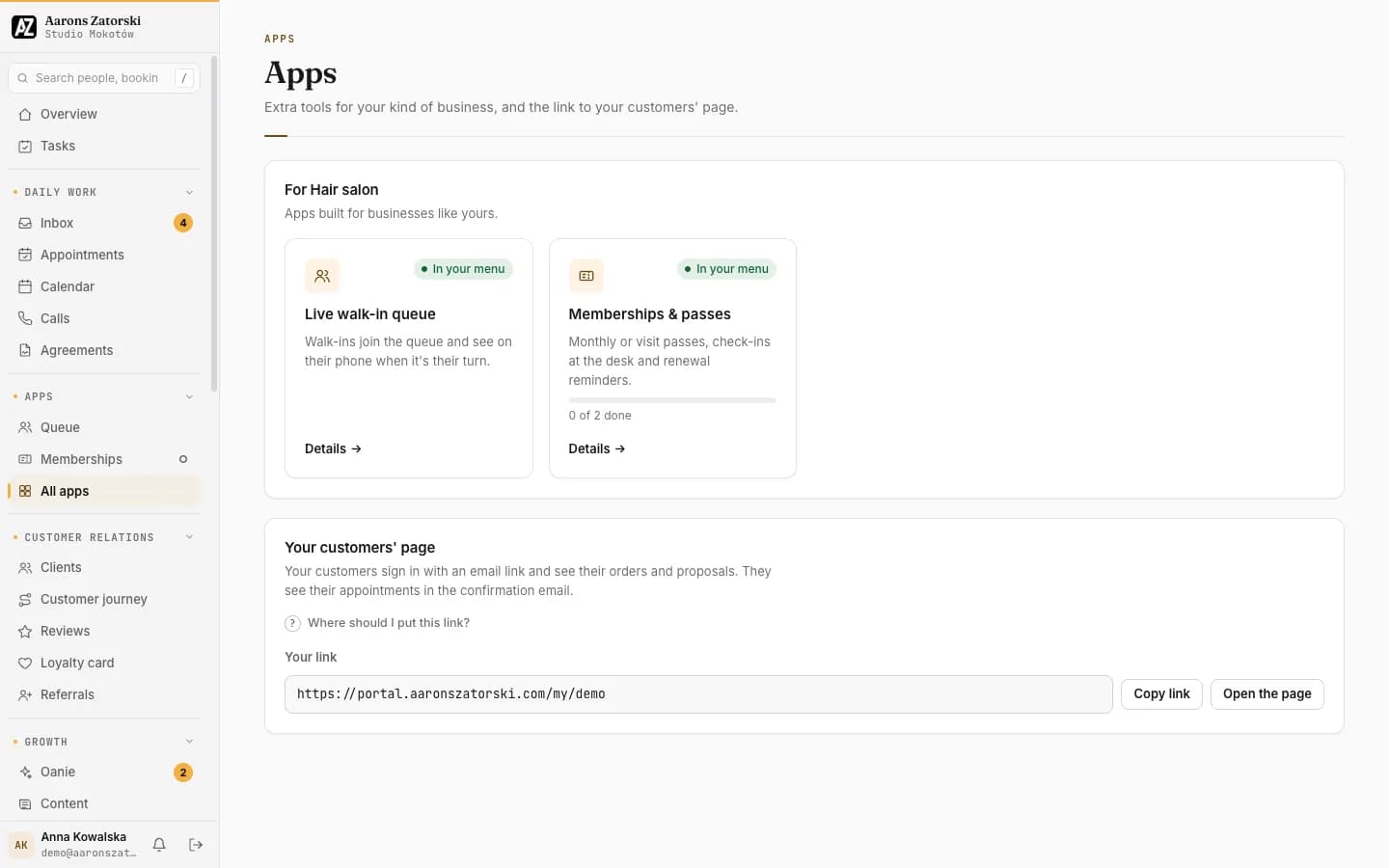
“For you”: the apps that fit the trade, shown first
In the menu with one tap; switching off deletes nothing
A short getting-started checklist on each app
Menu with allergens
Prices and the 14 allergens, on the site and behind a QR code, with a filter for guests.
Built for
- Restaurants
- Cafés
- Bars
- Takeaways
- Food trucks
- Catering
Table reservations
Guests book a table online; you run the day’s book and the walk-in waitlist.
Built for
- Restaurants
- Cafés
- Bars
3D visualisations & configurator
AI reads your drawings and renders photo-real visuals; the customer turns the 3D model and picks colours and handles.
Built for
- Custom furniture
- Carpentry
- Architects & interior design
- Windows & doors
- Flooring
- Construction
Proposals
A priced proposal from your price list that the customer accepts and signs online.
Built for
- Builders
- Roofers
- Landscapers
- Events
- Photographers
- Dental & aesthetic clinics
- Vets
Price list
Your items and prices by category; proposals and AI pricing come only from it.
Built for
- Furniture makers
- Builders
- Plumbers
- Electricians
- Decorators
Private events
An enquiry form for birthdays, communions and company parties, with date, guests and budget.
Built for
- Restaurants
- Bars
- Hotels
- Event venues
Live walk-in queue
Walk-ins join the queue and see on their phone when it’s their turn.
Built for
- Barbers
- Salons
- Nail salons
- Car washes
Service plans
Recurring visits (servicing, cleaning, gardens) that create their own jobs.
Built for
- HVAC
- Cleaning
- Landscaping
- Pool service
- Pest control
Classes & attendance
Who’s booked into each class and one-tap attendance; passes are used automatically.
Built for
- Gyms
- Yoga & pilates
- Dance
- Martial arts
- Swim schools
Belts & grades
Each student’s belt with its history, grading day in one click, and when the next is due.
Built for
- Martial arts
Memberships & passes
Monthly or visit passes, check-ins at the desk and renewal reminders.
Built for
- Gyms
- Studios
- Schools
- Physio
- Spas
- Salons
Click & collect
Customers reserve online and collect in store; no online shop needed.
Built for
- Retail
- Florists
- Bakeries
- Grocers
- Pet stores
- Hardware
Orders
Orders with stages that fit your trade; the customer follows them on their own link.
Built for
- Furniture
- Retail
- Florists
- Bakeries
- Catering
- Car & device repair
Records
The pets, vehicles, policies or students your customers have, with due dates and history.
Built for
- Vets
- Groomers
- Garages
- Insurance
- Tutoring
- Childcare
Your customers’ page
Customers sign in with an email link and see their orders and proposals.
Built for
- Every business
Everyday tools· Part 4 of 5
Everyday tools every client gets.
The screens a small business works in every day, shown here as they really look in a client's portal. What's switched on depends on the client's package.
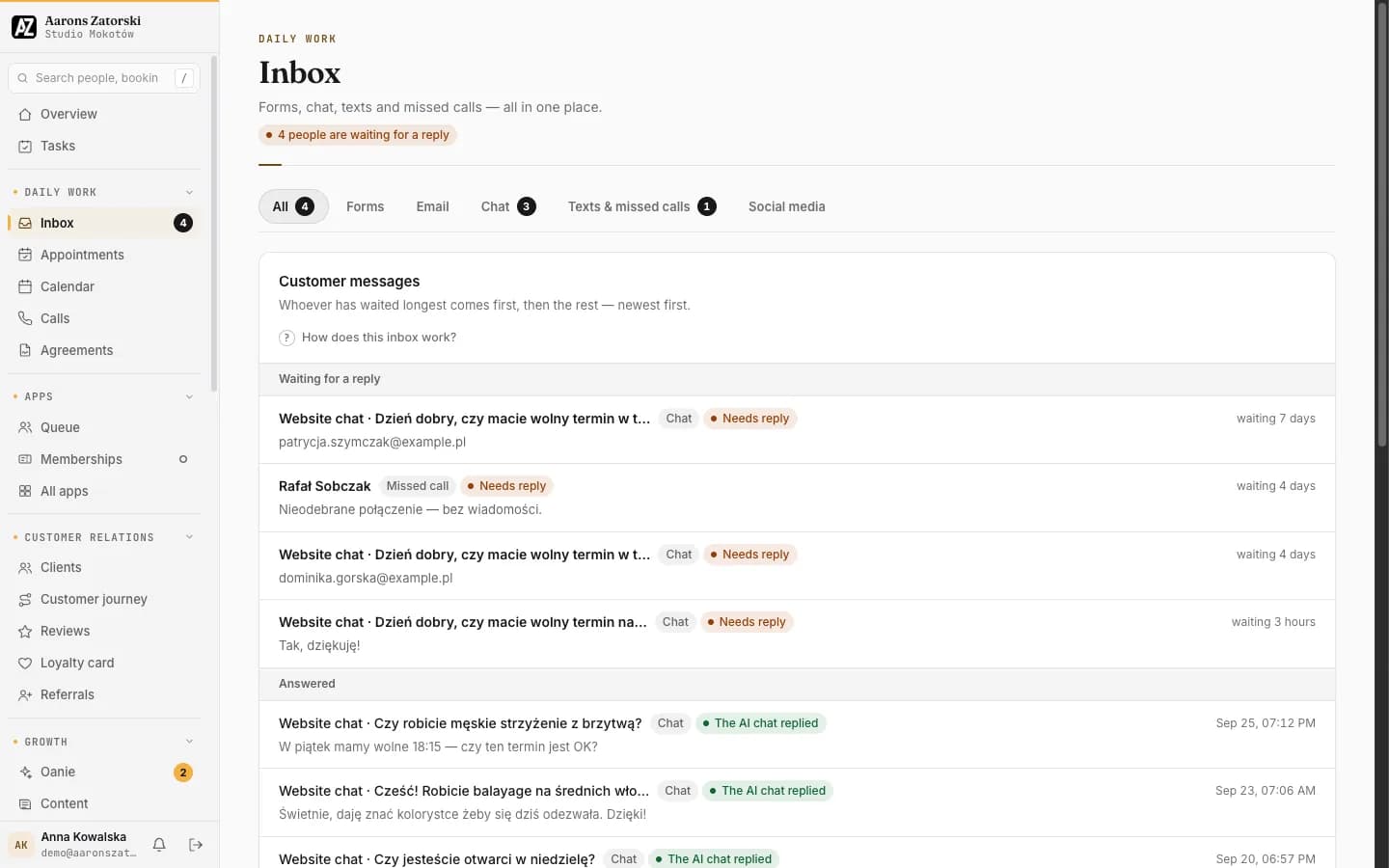
Inbox
Forms, chat, texts and missed calls, all in one place.
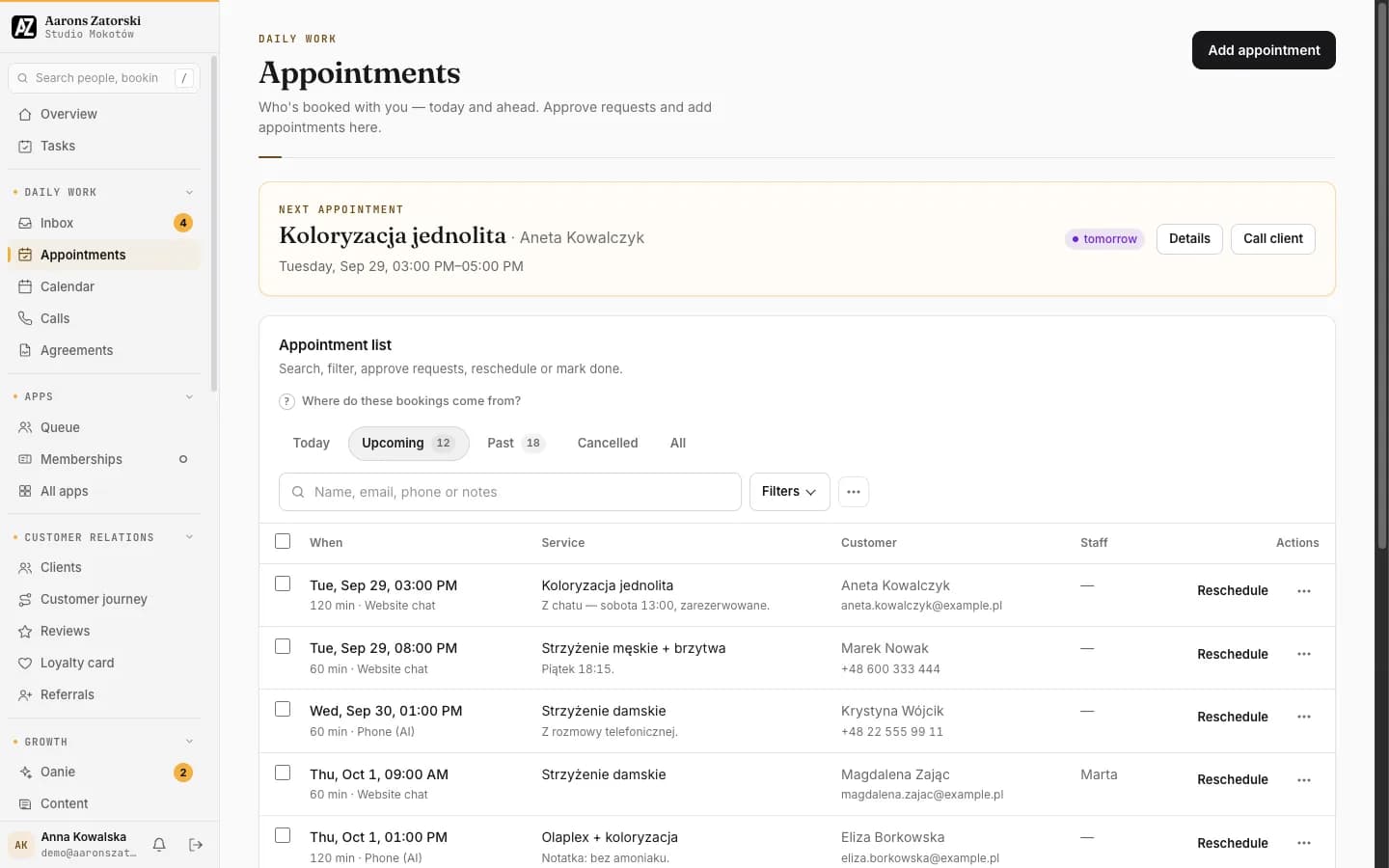
Appointments
Who’s booked in, today and ahead. Approve requests and add appointments.
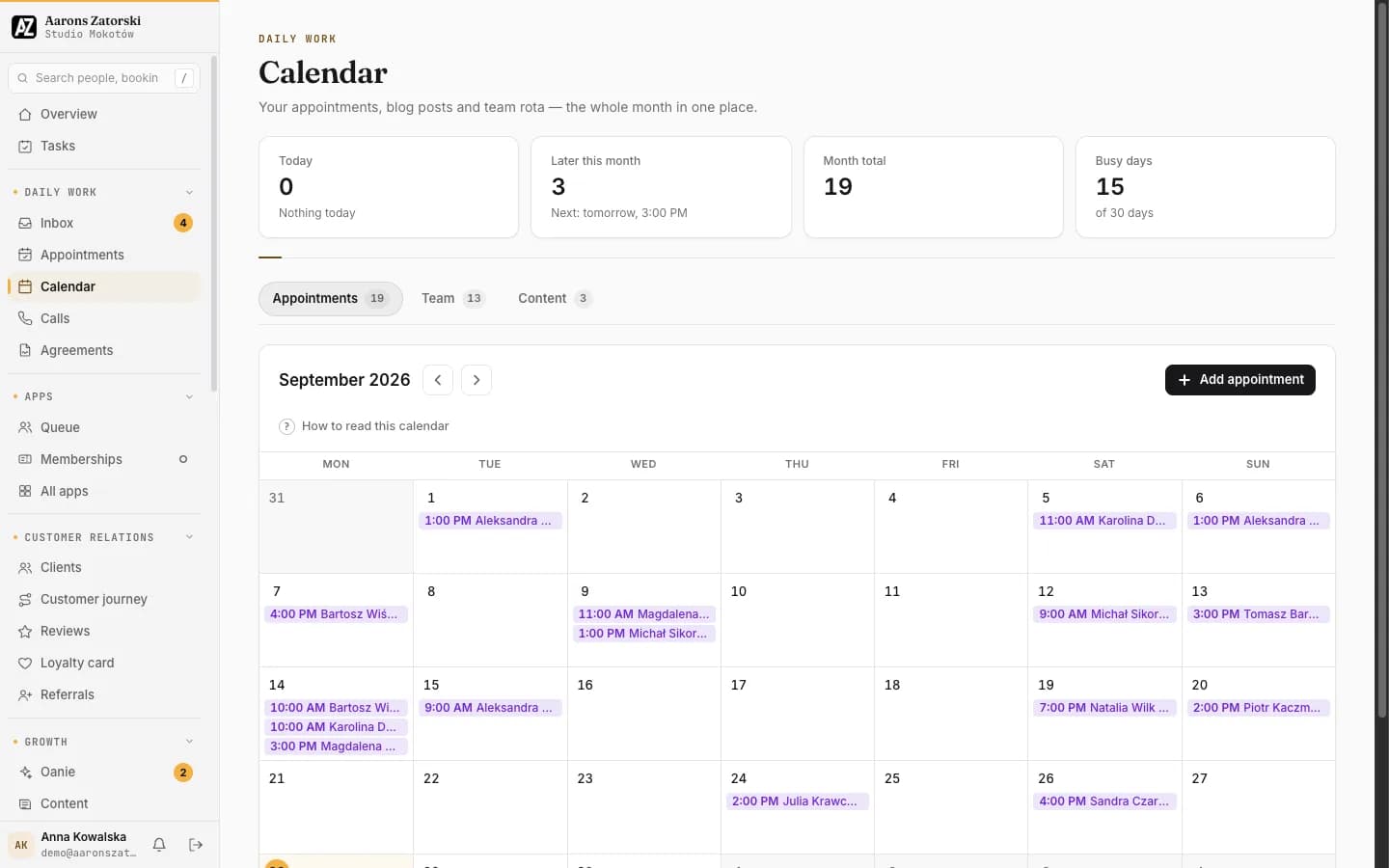
Calendar
Appointments, blog posts and the team rota: the whole month in one view.
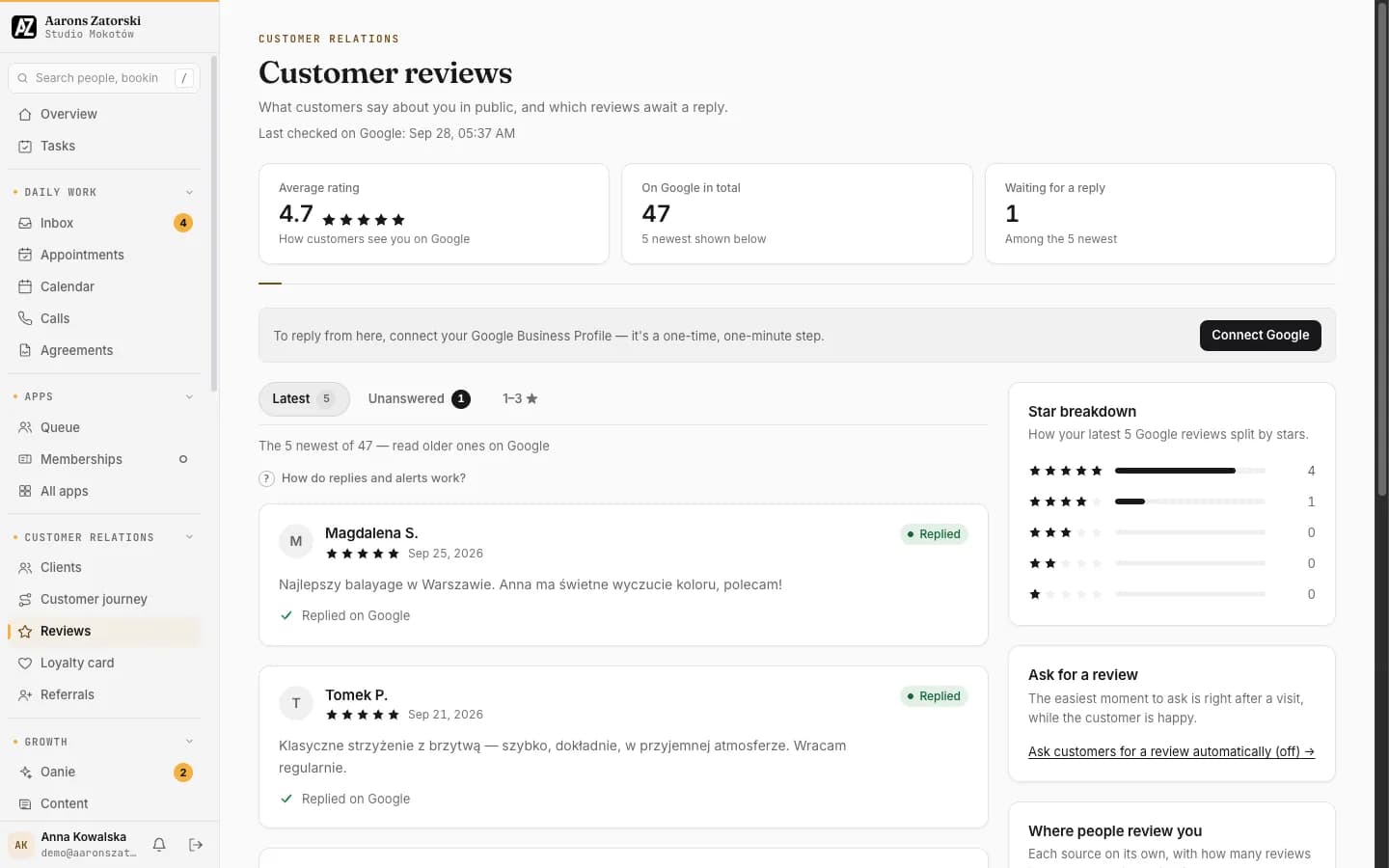
Reviews
What customers say in public, and which reviews are waiting for a reply.
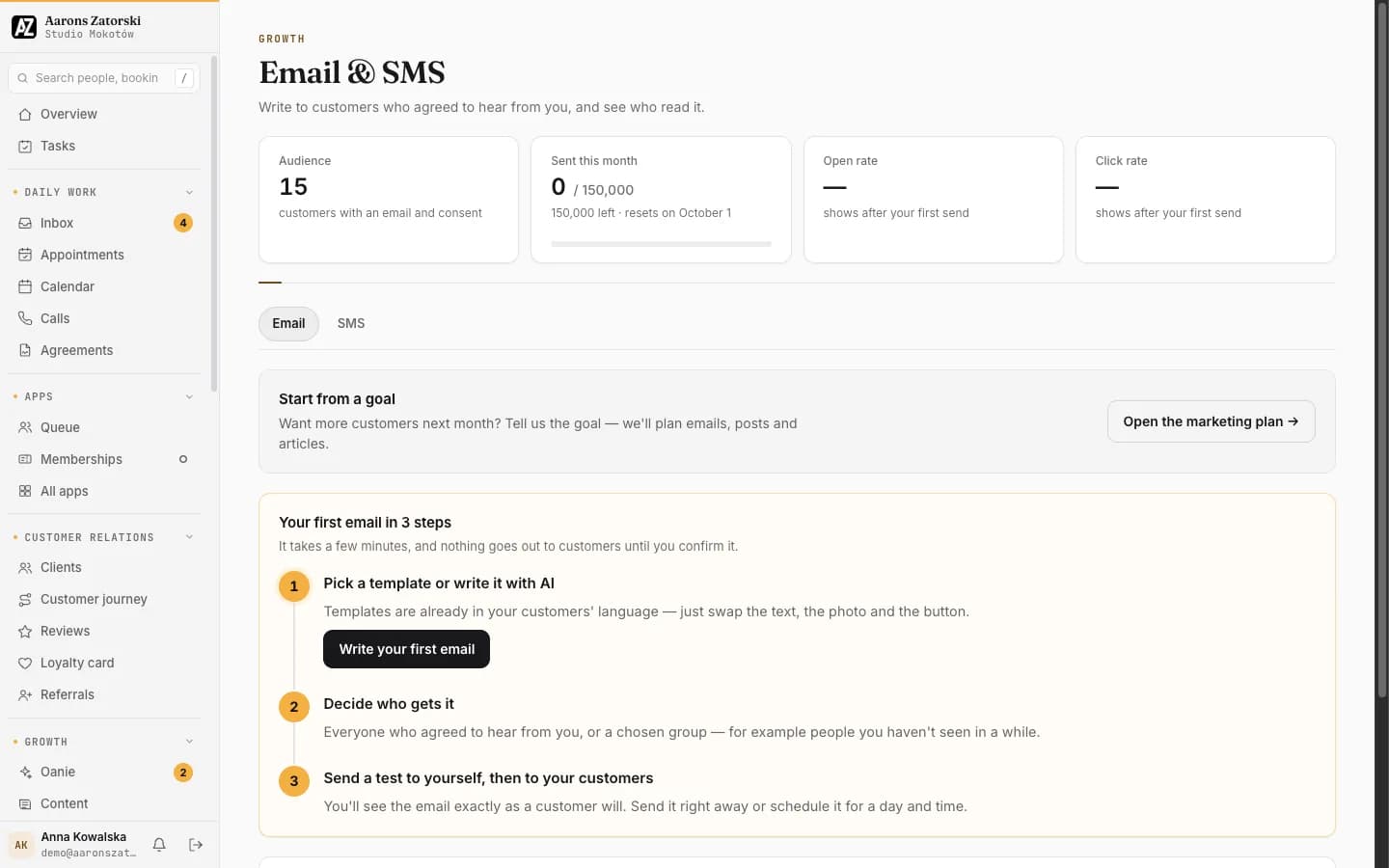
Email & SMS
Write to customers who agreed to hear from you, and see who read it.
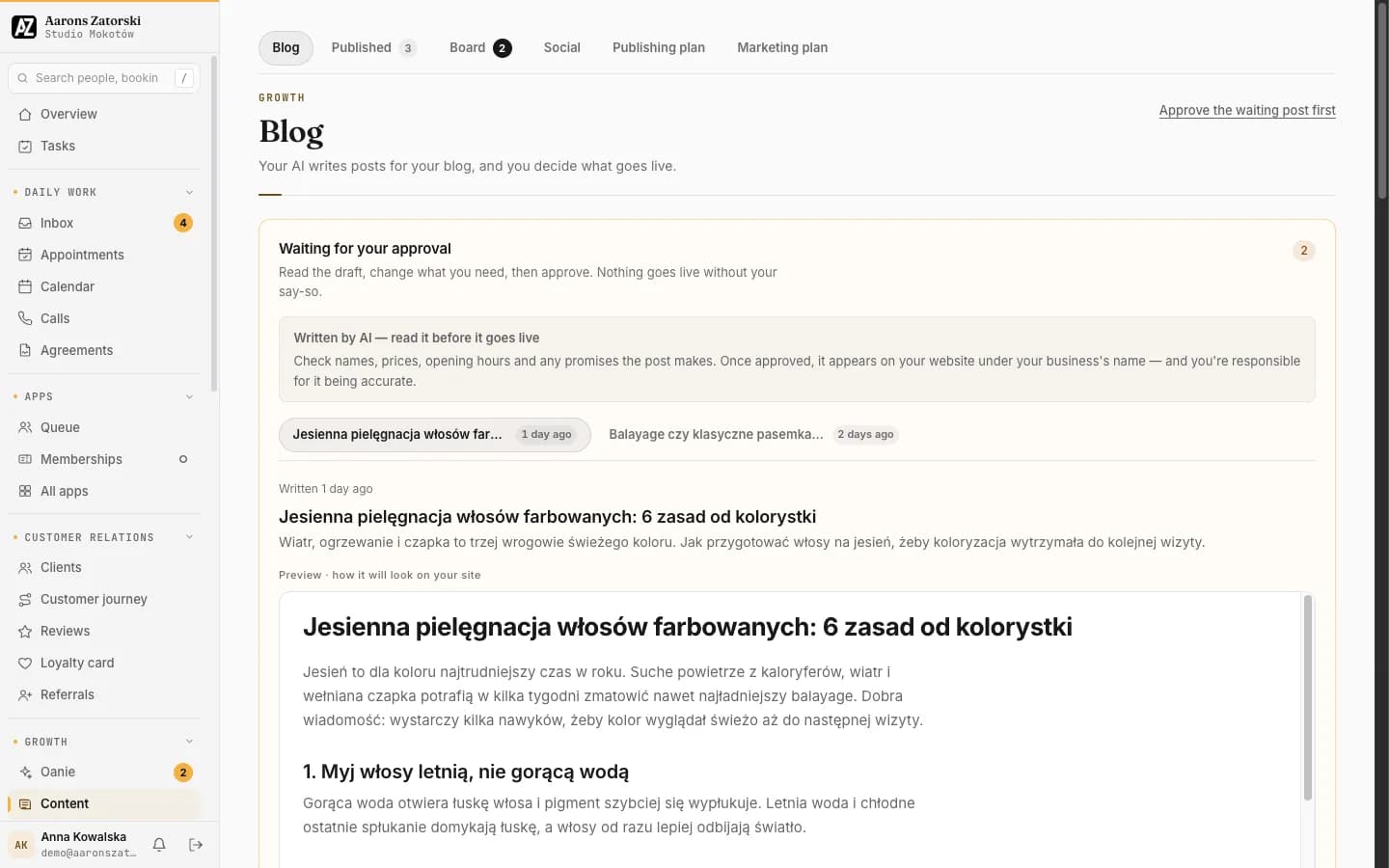
Blog
The AI writes posts for the blog; the business decides what goes live.
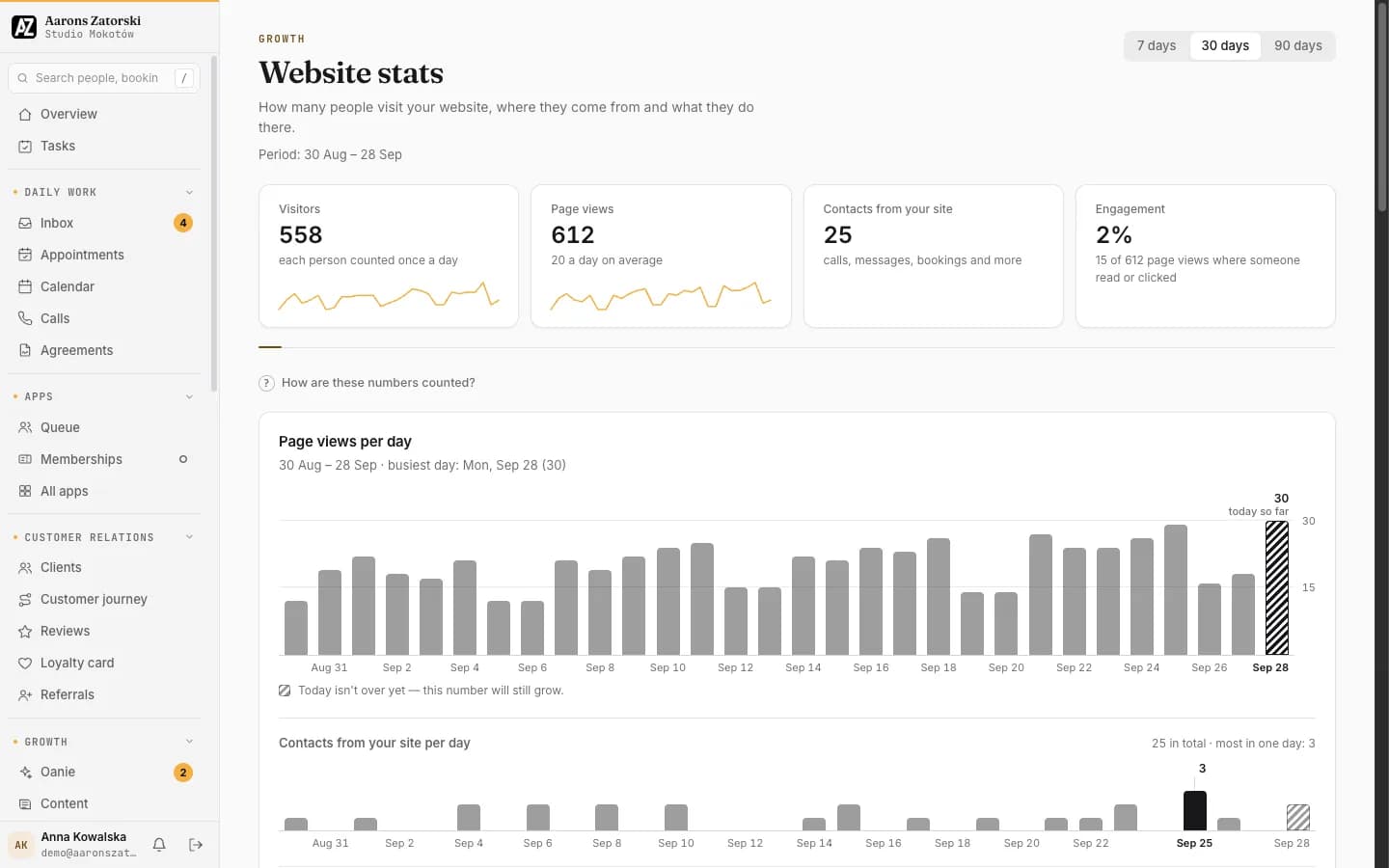
Website stats
How many people visit, where they come from and what they do there.
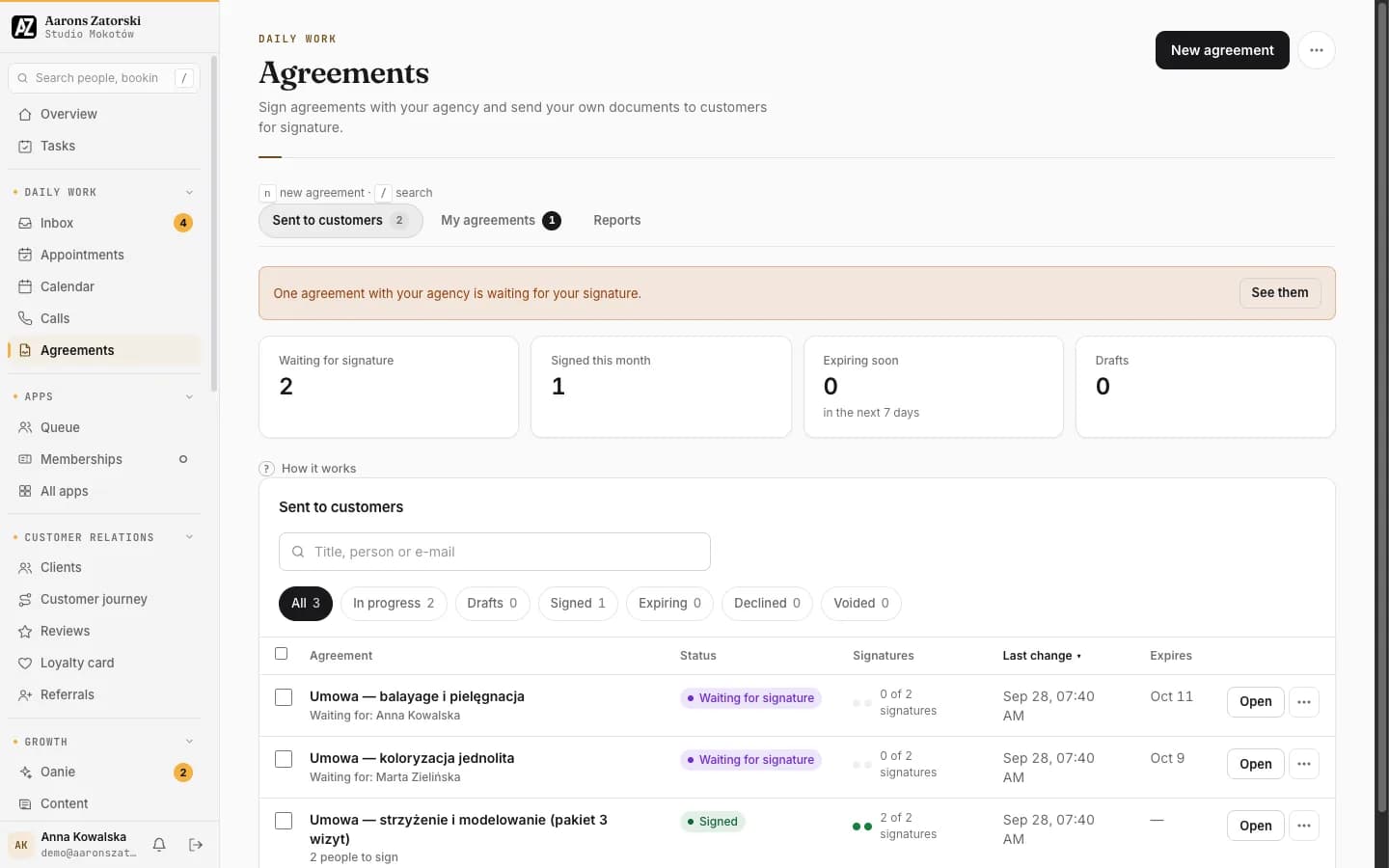
Agreements
Sign with the agency, and send your own documents to customers for signature.
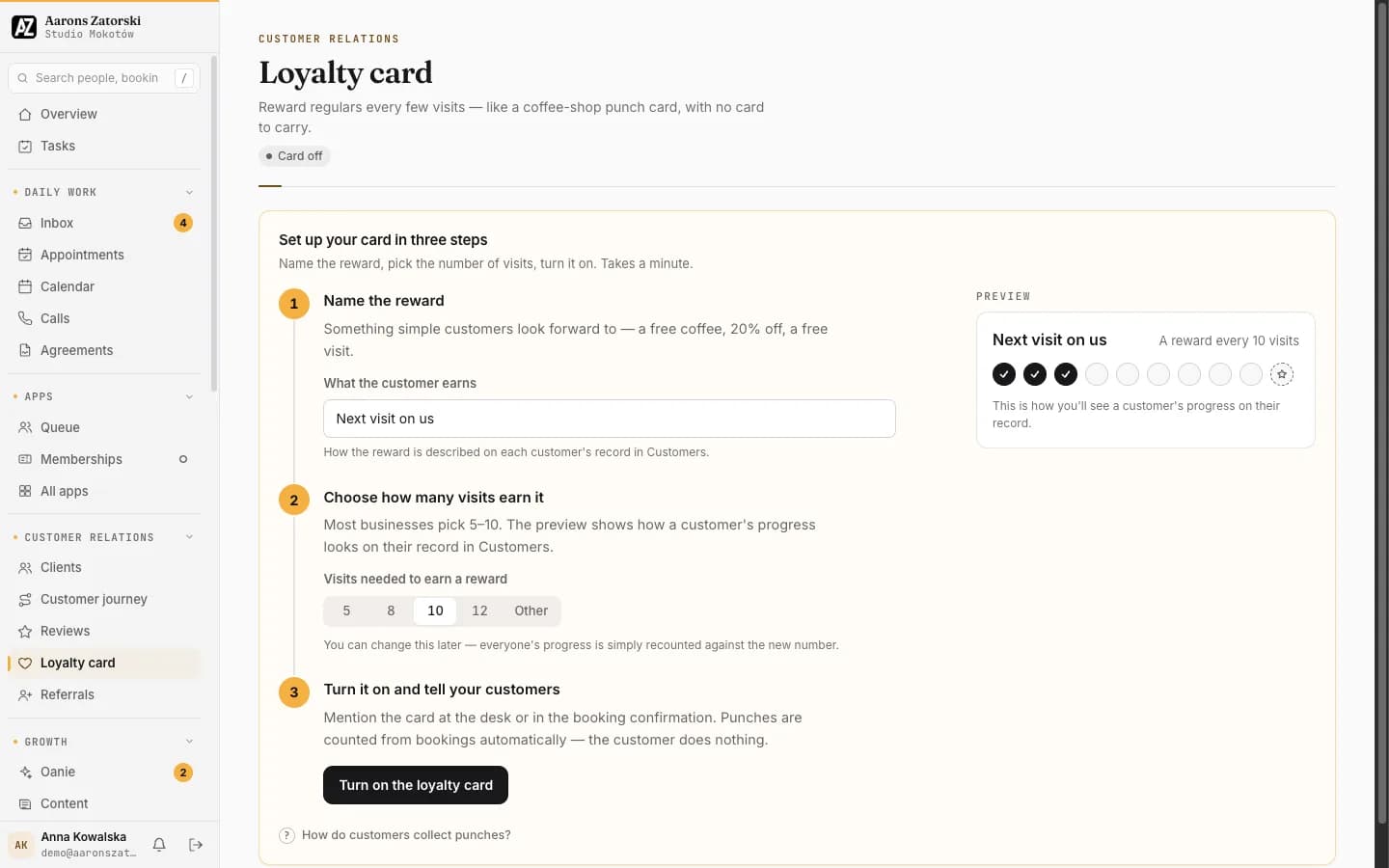
Loyalty card
Reward regulars every few visits, like a punch card with no card to carry.
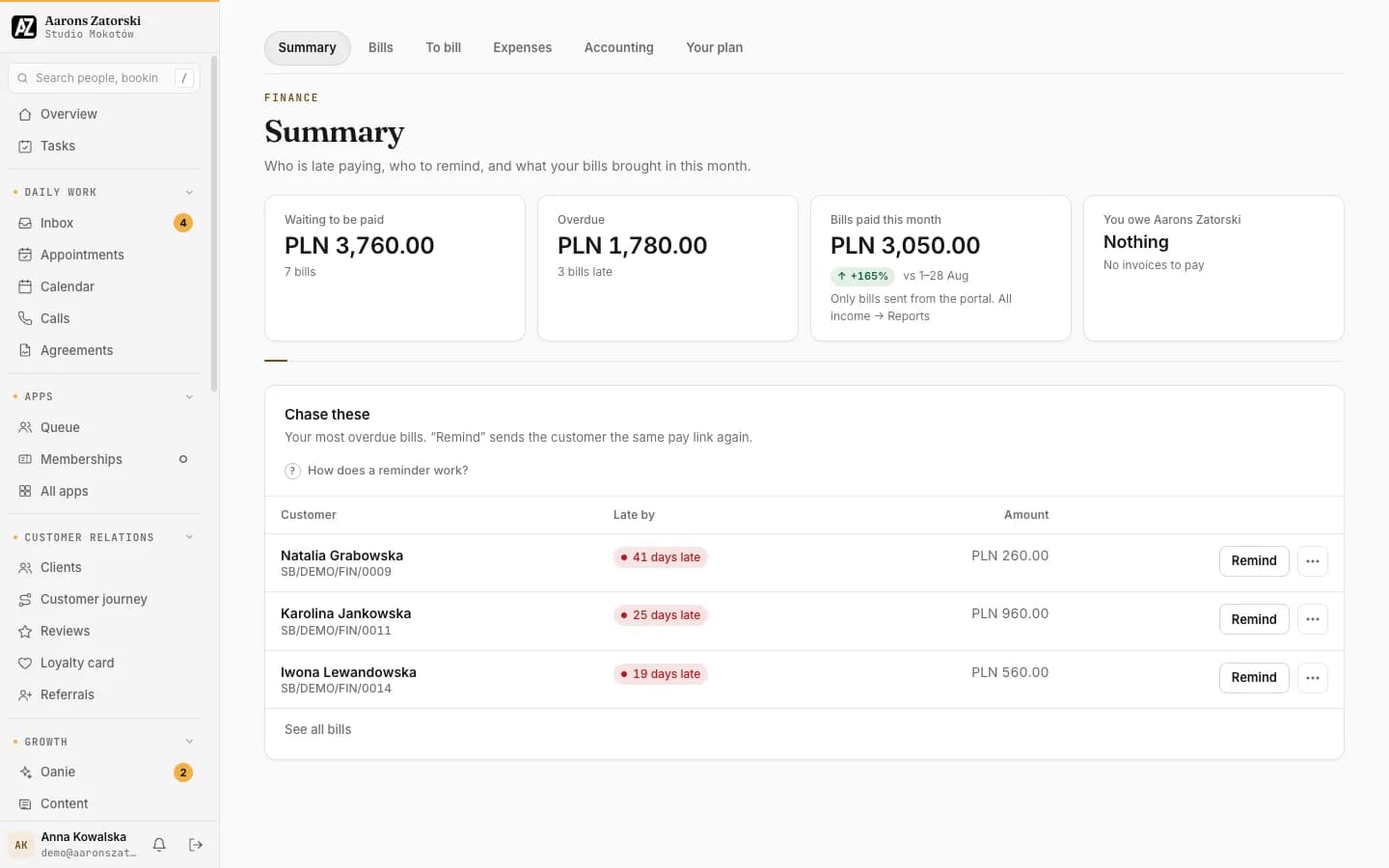
Finance
Who is late paying, who to remind, and what the bills brought in this month.
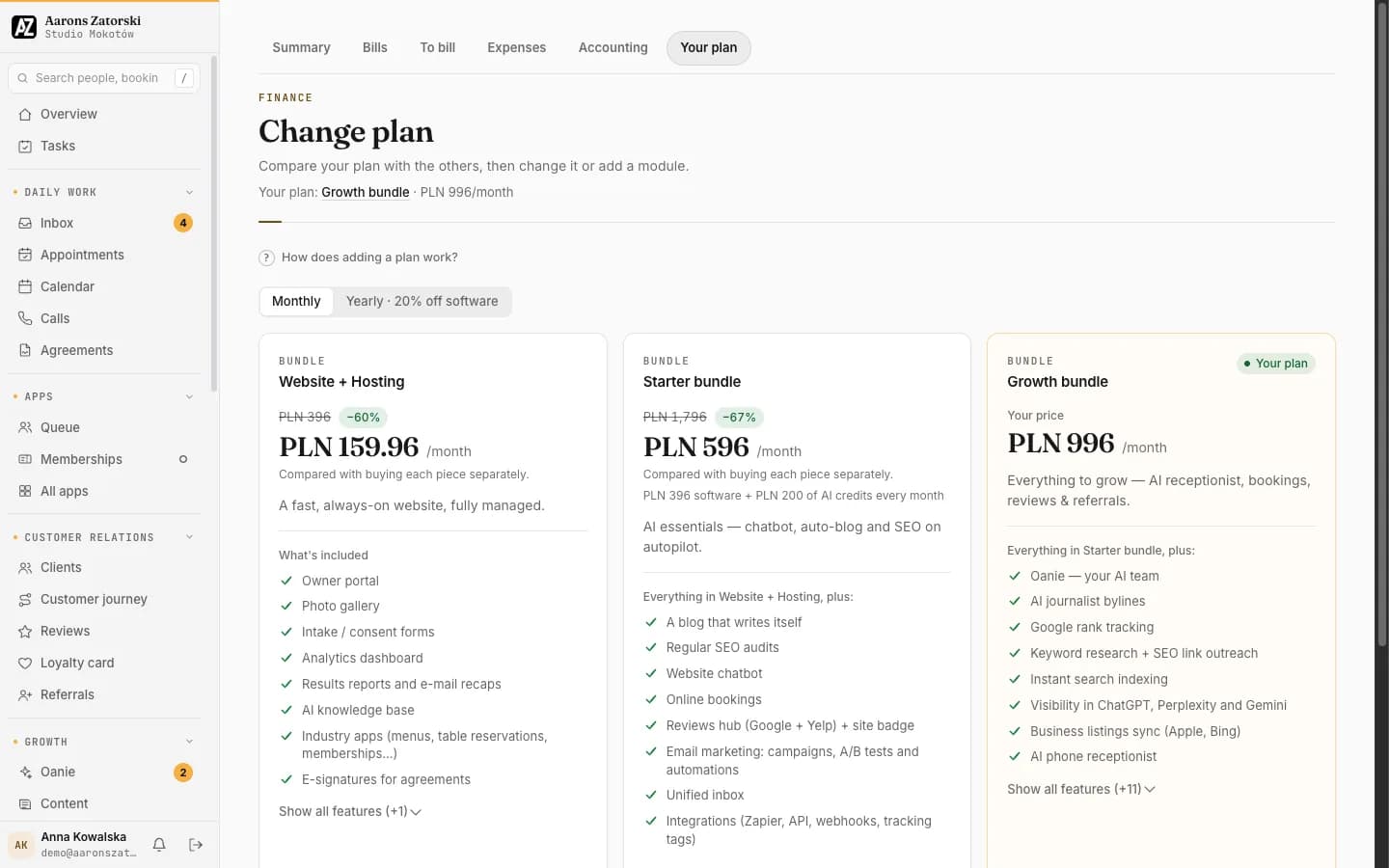
Plans
Compare the plans, then change plan or add a module.
Which apps fit· Part 5 of 5
Which apps fit your clients?
A quick map from common trades to the apps built for them.
Restaurant or café
- Menu with allergens
- Table reservations
- Private events
Salon or barber
- Live walk-in queue
- Memberships & passes
Gym or studio
- Classes & attendance
- Memberships & passes
Builder or trades
- Proposals
- Price list
- 3D visualisations & configurator
Vet clinic
- Proposals
- Records
Retail shop
- Click & collect
- Orders
Garage or repair
- Orders
- Records
Hotel or venue
- Private events
Every business also gets Your customers’ page. And any business can switch on any app.
Sell the website. Deliver the team.
Every tool on this page comes with the platform, under your brand. The AI team is included in the Growth package.